
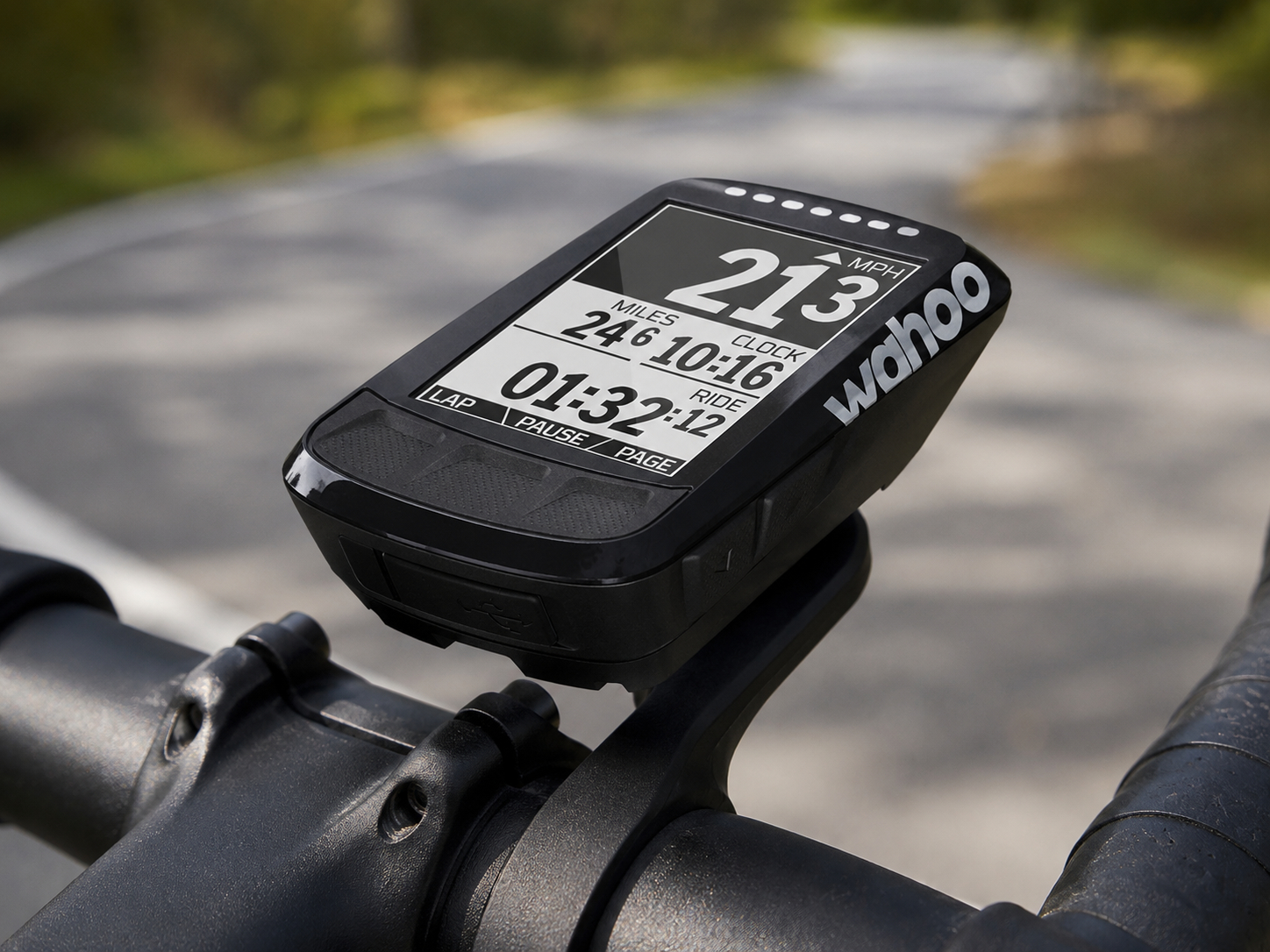
As someone who spends a lot of time on the bike, I’m always interested in bits of kit that genuinely improve the riding experience rather than simply add more numbers to look at. I’ve been using the Wahoo Fitness ELEMNT Bolt Bike Computer, and it has quickly become one of those pieces of gear that earns its place on the handlebars.
It makes route planning easier, gives me the ride data I actually want to see and removes much of the faff when it comes to uploading everything afterwards. The navigation has a few limitations, but as a compact GPS bike computer it gets a lot right.
First Impressions and Everyday Use
The Wahoo Fitness ELEMNT Bolt is a compact GPS bike computer designed to put useful ride information in front of you without making the whole thing needlessly complicated.
On the bike, the data screens are clear and easy to read, even when moving at speed. Speed, distance, elevation and time are all easy to keep an eye on, with plenty of scope to add more performance data if that matters to your riding.
What I like most is how straightforward the interface feels. You don’t need to spend ages digging through menus on the unit itself. Once it is set up, the important information is where you expect it to be, which matters when you only want to glance down for a second and get on with riding.
Sensor Compatibility and Ride Data
The ELEMNT Bolt works well with external sensors, which is where it starts becoming more useful than simply recording a GPS track. I use mine with the Wahoo RPM Cycling Speed Sensor and a heart rate chest monitor, and the connection is quick and reliable.
Having those extra metrics available gives you a much clearer picture of what you’re actually doing on the bike. Heart rate is useful for judging effort on longer rides and climbs, while speed and cadence can help when you’re trying to ride more consistently rather than simply chasing an average at the end.
Connectivity and App Integration
One of the strongest parts of the ELEMNT Bolt is how well the computer and companion app work together. Pairing it with a smartphone is simple, and the phone takes care of much of the setup that would otherwise involve prodding buttons through tiny menus on the head unit.
You can receive phone notifications, sync routes and upload completed rides automatically to services such as Strava. If you already use Strava to keep track of rides or compare them with friends, that automatic syncing removes the usual faff after getting home.
The Bolt also works with Wahoo’s KICKR and KICKR SNAP smart trainers, allowing it to control the trainer directly for indoor sessions.
Setup and Customisation
Getting started is refreshingly simple. The companion app handles most of the setup, and you can choose exactly which data fields appear on each screen rather than accepting whatever layout the manufacturer thinks you ought to want.
For longer rides I tend to prioritise distance, elevation and heart rate, while shorter training rides benefit more from speed and cadence-focused screens. Being able to arrange those pages on the phone makes the whole process quicker and less fiddly.
The trade-off is that the phone remains an important part of the system. Some navigation tasks, particularly generating a route to a new destination, rely on the companion app rather than being handled entirely on the Bolt itself.
I generally prefer setting things up on a larger phone screen anyway, but it is worth knowing if you want a bike computer that does absolutely everything independently.
Battery Life and Weather Performance
Battery life is excellent. Wahoo quotes up to 15 hours from a charge, which gives plenty of breathing room for a long day on the bike without constantly wondering whether the computer is going to give up before you do.
The weather resistance is equally welcome. British rides have a habit of beginning dry and ending damp, so having a bike computer that can deal with rain and road spray without becoming another thing to worry about is exactly what you want.
Navigation and Safety Features
The mapping and navigation features are useful when riding unfamiliar roads, although there are a couple of important distinctions worth knowing about.
Routes with suitable turn cues can give proper turn-by-turn instructions, with the Bolt showing the distance to the next turn and warning you as you approach it. I find that useful most of the time, although occasionally a turn instruction appears later than I would like.
Strava Routes can also be imported easily, but they don’t provide proper turn-by-turn instructions on the Bolt. Instead, you follow the route line on the map. That is still much better than repeatedly pulling a phone out of a pocket, but it is an important difference if navigation is one of the main reasons you are buying one.
Live Track is another feature I like, particularly when riding alone. Friends or family can see your current location on a map, which provides some extra reassurance on longer solo rides.
The LED strip across the top of the Bolt is a small detail but a useful one. It gives quick visual feedback for things such as speed or heart rate, so you do not always need to study the main display to know roughly where you are.
Screen Visibility in Rain and Direct Sunlight
One thing that often gets overlooked with bike computers is how readable they remain once you’re actually outside rather than looking at them indoors.
For normal ride data, the ELEMNT Bolt works well for me in both bright sunlight and wet conditions. The black-and-white display makes key figures easy to pick out at a glance, which matters on quicker roads or descents where you really do not want to spend long staring at a screen.
The mapping is less convincing than the normal data pages. On roads where several junctions sit close together, I find the small monochrome map can take a little more concentration to interpret. It is usable, but the data display is definitely the stronger part of the screen.
In rain, readability remains good, and the weather-resistant build gives a bit of reassurance when conditions change halfway through a ride.
Mount Stability on Rough Roads
The out-front mount feels secure and stable in normal riding conditions, including rougher roads, uneven tarmac and the usual pothole-ridden stretches you come across on UK routes.
Even over poorer surfaces, the unit stays firmly in place without noticeable movement affecting readability. It sounds like a small point until you are trying to follow directions on an unfamiliar road and the computer is bouncing around in front of you.
How It Compares with Garmin Alternatives
The obvious comparison is Garmin’s Edge range. The ELEMNT Bolt costs £199.99, while the Garmin Edge 520 sits at around £279.99 and the Edge 820 at around £369.99. A Bolt bundle with Wahoo heart rate, speed and cadence sensors is also available for £259.99.
For me, Wahoo’s biggest advantage is simplicity. The companion app makes setting up screens and managing routes straightforward, and the whole system feels less interested in making you learn the bike computer itself before you can use it properly.
Garmin still has advantages for riders wanting deeper training functionality. The Bolt does not support planned or structured workouts, so if following detailed training sessions directly from the head unit is important, that is a genuine limitation rather than something to gloss over.
For everyday riding, route following and recording useful performance data, though, I find the Wahoo cleaner and quicker to live with.
Real Battery Performance vs Claimed Battery Life
Wahoo states up to 15 hours of battery life, and in real use that figure feels realistic enough for standard road rides and longer weekend outings.
As with any GPS computer, the exact figure depends on what you ask it to do. Navigation, phone connectivity, sensors and Live Track all add to the workload, so I would rather have some spare battery left at the end of a long ride than plan around the absolute maximum.
In practice, I find it more than sufficient for full-day rides without having to think about charging halfway through.
What Happens If You Go Off Course?
This is one area where the Bolt has a definite limitation.
If you miss a turning, the map still shows where you are in relation to the planned route, so you can work your way back towards it. What it cannot do is automatically recalculate the route on the unit and give you a new set of directions around the mistake or a road closure.
A minor wrong turn is usually easy enough to sort out by looking at the map, but a larger diversion can mean reaching for the phone. Wahoo’s companion app can generate a route to a destination and send it to the Bolt, but that does underline how dependent some of the more flexible navigation features are on having the phone with you.
It is not a deal-breaker for the way I ride, but it is something I would want to know before buying one specifically for navigation.
Pros and Cons
Pros
- Simple and intuitive setup through the companion app
- Clear, easy-to-read data screens
- Reliable GPS tracking and useful route following
- Good sensor and Strava integration
- Strong real-world battery life for long rides
- Secure and stable out-front mount
- Useful Live Track feature for solo riding
- Clean interface that is easy to use while riding
Cons
- Small monochrome maps can be harder to read on complicated road layouts
- Strava Routes do not provide proper turn-by-turn instructions
- No automatic route recalculation if you go off course
- Some navigation functions depend on the companion phone app
- No planned or structured workout support
- Turn prompts can occasionally arrive later than ideal
The Wahoo Fitness ELEMNT Bolt genuinely improves the way I ride. The things I like most about it are not particularly flashy. It is easy to set up, the data screens are clear, sensors connect without much fuss and completed rides can be sent off to Strava without another job waiting when you get home.
The navigation is useful rather than flawless. The monochrome mapping can take a little more effort to read, Strava Routes do not give proper turn instructions and the Bolt cannot recalculate a route by itself if you go badly off course. Those are real limitations, particularly if navigation is your main reason for buying one.
But for the way I ride, the balance works. Rather than simply giving me more numbers to look at, the Bolt puts the information I actually use within easy reach and keeps most of the fiddly setup on the phone where it belongs.
For riders wanting a straightforward GPS bike computer for recording rides, using sensors and following planned routes, it is a worthwhile upgrade to a cycling setup.
Review information
- VanVentures Verdict: A straightforward, well-integrated bike computer with clear ride data, useful navigation and strong battery life, though riders wanting deeper training metrics may find some Garmin alternatives more capable.
- VanVentures Rating: ★★★★☆ (4/5)
As an Amazon Associate, we earn commission from qualifying purchases.